
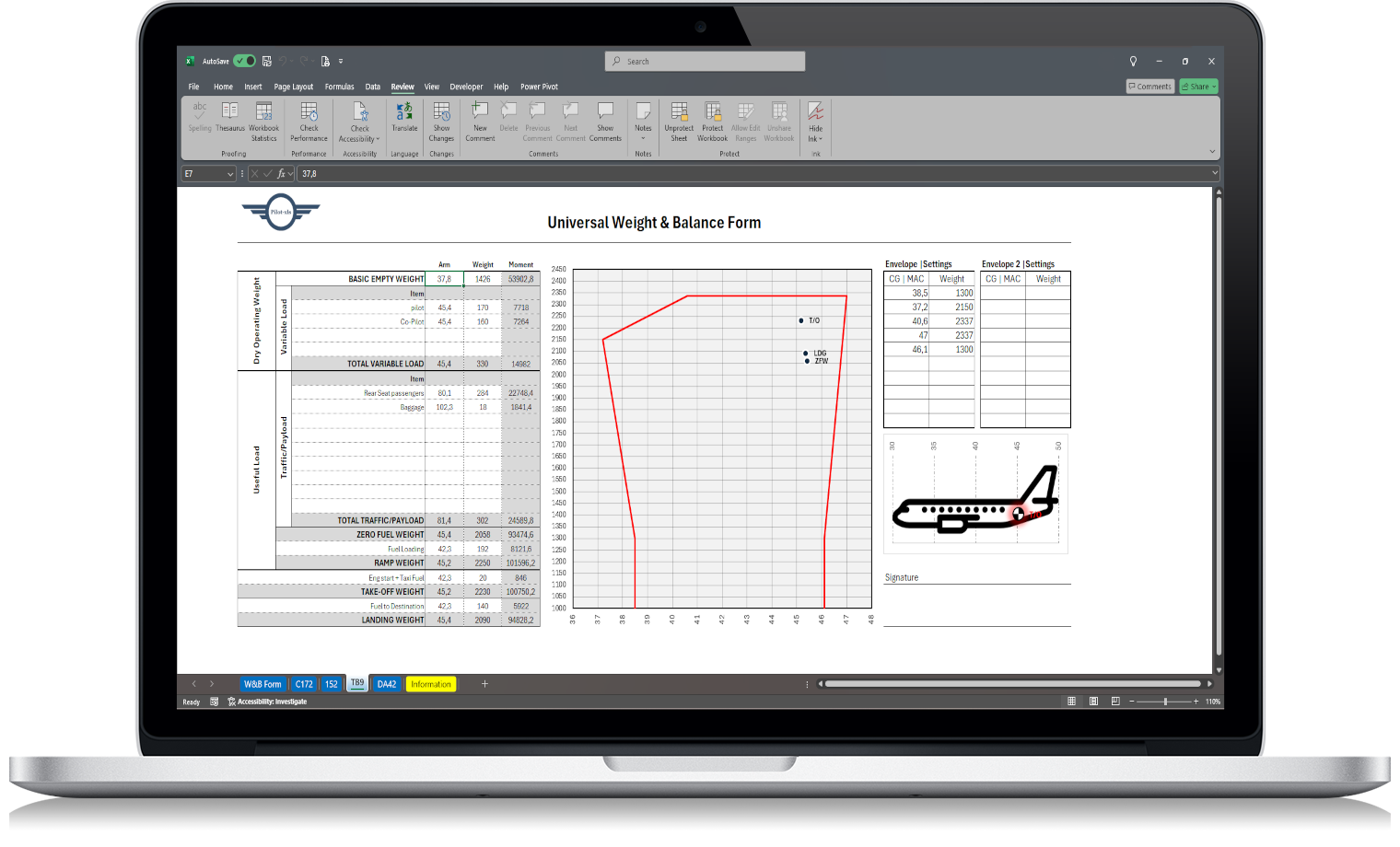
Aircraft weight and balance is one of the most important pre-flight calculations. Before every flight, the pilot must confirm that the aircraft is within approved weight and center of gravity limits.
The basic idea is simple: you calculate the total weight, calculate the total moment, and then divide the total moment by the total weight to find the aircraft CG.
What is weight and balance?
Weight and balance is the process of checking whether an aircraft is loaded correctly before flight. It considers:
- Empty aircraft weight
- Pilot and passengers
- Fuel
- Baggage
- Cargo
- Arm
- Moment
- Center of gravity
If the aircraft is too heavy or outside its CG envelope, performance and handling can be affected.
Basic aircraft weight and balance formula
The standard formula is:
Moment = Weight × Arm
Then, to calculate the center of gravity:
CG = Total Moment ÷ Total Weight
This gives the aircraft center of gravity location based on the current loading condition.
Step-by-step example
To calculate aircraft weight and balance manually, follow these steps:
- Start with the aircraft empty weight.
- Add pilot and passenger weights.
- Add fuel weight.
- Add baggage or cargo weight.
- Multiply each weight by its arm to calculate the moment.
- Add all weights.
- Add all moments.
- Divide total moment by total weight.
- Compare the result with the aircraft CG envelope.
Why manual calculations can cause errors
Manual calculations are repetitive. Every change in fuel, passengers or baggage requires a new calculation. Small mistakes in weight, arm or moment can affect the final CG result.
Using an aircraft weight and balance calculator can make this process faster and more consistent, especially when you use the same aircraft often.
Using Excel for aircraft weight and balance
An Excel-based weight and balance spreadsheet can calculate weight, moment and CG automatically after you enter the aircraft data and loading values.
This helps reduce manual calculation errors and makes pre-flight planning more efficient.
For pilots who prefer an editable offline tool, the Weight and Balance Spreadsheet lets you calculate weight, moment, CG and envelope limits in Excel using your aircraft’s own data.
Final check
A spreadsheet or calculator does not replace the aircraft POH, AFM or approved weight and balance records. Always use official aircraft data and verify the result before flight.
Need a reusable Excel tool for your calculations? Download the Weight and Balance Spreadsheet and calculate aircraft weight, moment and CG in seconds.