
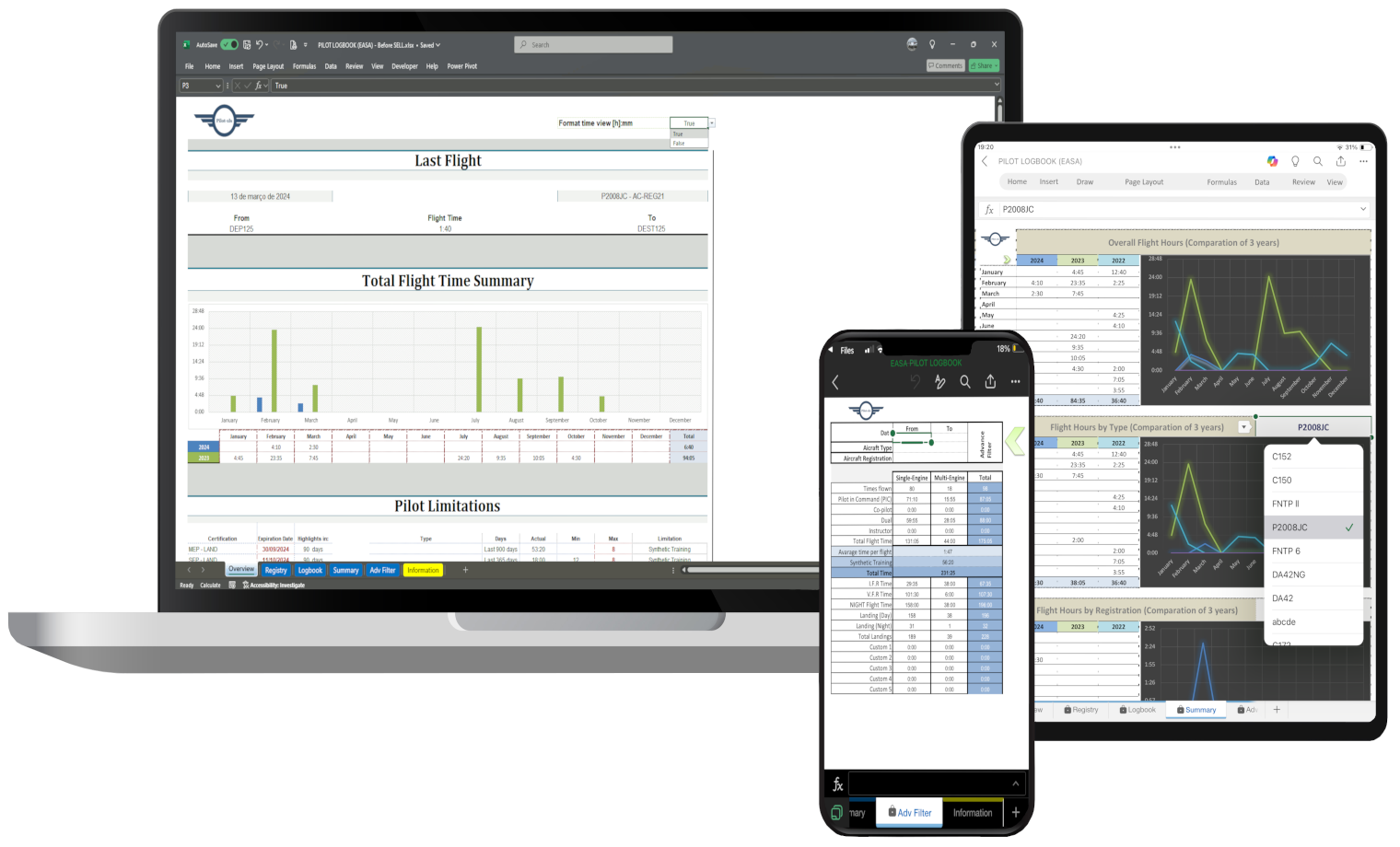
Choosing how to manage your pilot logbook is an important decision.
At first, the choice may seem simple: use a paper logbook, an app, or a spreadsheet. But as your flying experience grows, your logbook becomes more than a list of flights. It becomes a long-term record of your career, training, aircraft experience, flight time categories and professional history.
That is why many pilots eventually ask the same question:
Should I use an Excel pilot logbook or a subscription logbook app?
Both options can work. Both can help you move away from a physical logbook. But they are not the same.
An Excel pilot logbook gives you direct control over your own file. A subscription logbook app may offer automation and cloud features, but it also creates long-term dependency on a third-party platform.
In this article, we compare both options so you can decide which one makes more sense for your flight records.
What is an Excel pilot logbook?
An Excel pilot logbook is a digital spreadsheet used to record, organize and review flight time.
Instead of writing each flight into a physical logbook or entering your data into a subscription-based app, you keep your records in your own Excel file.
A good Excel pilot logbook can help you track:
- total flight time
- PIC time
- SIC time
- solo time
- dual received
- cross-country time
- night time
- actual instrument time
- simulated instrument time
- landings
- aircraft type
- aircraft registration
- route of flight
- remarks and endorsements
The main advantage is simple: you own the file.
You can store it locally, back it up, edit it carefully, open it in Excel and keep access without paying every month.
What is a subscription pilot logbook app?
A subscription pilot logbook app is an online or mobile software tool used to record and manage flight time.
These apps often include features such as:
- cloud synchronization
- mobile access
- automatic totals
- report generation
- flight currency tools
- aircraft databases
- export options
- backup systems
- integration with other aviation tools
Some pilots like subscription apps because they are convenient and polished. They can be useful, especially for pilots who want a ready-made online system with mobile features.
However, subscription apps usually come with one important condition: continued access often depends on continued payment.
That may not be a problem in the short term. But over a full aviation career, monthly or yearly fees can become expensive.
The main difference: ownership vs access
The biggest difference between an Excel pilot logbook and a subscription app is not design. It is not even automation.
The biggest difference is ownership.
With an Excel pilot logbook, your flight records are stored in your own file.
With a subscription app, your records are usually stored inside a third-party platform.
This matters because your pilot logbook is not a temporary document. It is a long-term record of your aviation experience.
A logbook can be relevant for:
- training
- licence and rating applications
- job applications
- flight reviews
- insurance requirements
- airline recruitment
- personal recordkeeping
- career progression
For that reason, many pilots prefer to keep their core flight data in a format they control directly.
Cost comparison
Cost is one of the clearest differences.
Excel pilot logbook
An Excel pilot logbook is usually a one-time purchase.
You pay once, download the file and continue using it without monthly or yearly fees.
This makes it easier to control long-term costs.
Subscription logbook apps
Subscription apps usually charge monthly or yearly.
The monthly price may seem small at first, but over several years it adds up.
For example, even a modest subscription can become a significant long-term cost if you keep paying for five, ten or twenty years.
That does not mean subscription apps are bad. It means pilots should consider the long-term cost before committing their entire flight history to a paid platform.
Data control
Data control is one of the strongest arguments for using an Excel pilot logbook.
With Excel, your logbook is your file. You decide where it is stored, how it is backed up and how it is managed.
You are not locked into a platform. You are not dependent on a specific company. You are not forced to keep paying to access your workflow.
With a subscription app, your data may be exportable, but the experience depends on the platform. Some apps may have good export tools. Others may limit flexibility or make it harder to keep the exact structure you want.
For pilots who value independence, this difference is important.
Flexibility and customization
An Excel pilot logbook is usually more flexible.
You can adapt the file to your needs, add columns, adjust formulas, create summaries and organize your data in a way that fits your workflow.
For example, you may want to track:
- specific aircraft registrations
- time by aircraft type
- training flights
- job application totals
- medical certificate dates
- pilot certificate details
- type rating summaries
- night and instrument totals
- instructor time
- cross-country time
In a subscription app, the structure is usually fixed. You may have some settings, but you are still working inside the limits of that platform.
For many pilots, this is not a problem. But if you want full control over your logbook structure, Excel can be a better option.
Ease of use
Subscription apps often win on visual design and mobile convenience.
They are usually built with modern interfaces, menus, dashboards and automatic syncing.
However, Excel has one major advantage: familiarity.
Millions of people already know how to use Excel. Most pilots can understand rows, columns, filters and basic calculations without learning a completely new system.
A well-designed Excel pilot logbook should be simple to use:
- enter one flight per row
- keep aircraft details consistent
- fill in flight time categories
- review totals automatically
- filter by date, aircraft or category
- backup the file regularly
For pilots who prefer a practical and direct system, Excel can be easier than managing another app account.
Offline access
Offline access is another important point.
An Excel pilot logbook can be used offline after download, as long as you have compatible spreadsheet software installed.
This is useful if you are travelling, flying in areas with poor internet connection or simply prefer not to depend on online access.
Subscription apps may also offer offline functionality, but it depends on the app. Some features may require internet access or syncing.
If direct access to your file is important, Excel gives you a simple advantage.
Backups and security
Both options can be secure if used correctly.
With subscription apps, backups may be handled by the platform. This is convenient, but it also means you depend on the platform’s systems and policies.
With Excel, backup responsibility is yours. That may sound like a disadvantage, but it also gives you control.
A simple backup system can include:
- one copy on your computer
- one copy in cloud storage
- one copy on an external drive
Your pilot logbook is too important to store in only one place. Whether you use Excel or an app, regular backups are essential.
Reports and analytics
Subscription apps often include built-in reports and analytics. This can be useful for pilots who want automatic summaries without building anything themselves.
However, a well-designed Excel pilot logbook can also provide strong analytics.
For example, Excel can help you review:
- total flight time
- PIC time
- SIC time
- night time
- instrument time
- cross-country time
- hours by aircraft type
- hours by registration
- hours by date range
- landings by period
- flight history summaries
The difference is that Excel gives you more transparency. You can see the formulas, understand the logic and adjust the structure if needed.
In a subscription app, the calculations may be convenient, but they are usually hidden inside the software.
Risk of losing access
This is one of the biggest concerns with subscription tools.
If your logbook depends on a paid app, what happens if:
- you stop paying
- the price increases
- the company changes its features
- the app is discontinued
- your account is blocked
- export options change
- you lose access to your login
These situations may be unlikely, but they are possible.
With an Excel pilot logbook, your access does not depend on an active subscription. Once you have the file, you can keep using it.
This gives many pilots more peace of mind.
Professional use and job applications
When applying for pilot jobs, you often need to prepare flight hour summaries.
These may include:
- total time
- PIC time
- SIC time
- multi-engine time
- single-engine time
- night time
- instrument time
- cross-country time
- time on specific aircraft types
- instructor time
- turbine time, if applicable
An organized Excel pilot logbook can make this process easier because you can filter and calculate totals directly from your data.
Subscription apps may also generate reports, but the format may not always match what you need. With Excel, you can adapt your summaries more easily.
This is especially useful when updating a CV, filling in an airline application or preparing a custom flight experience breakdown.
When a subscription logbook app may be better
A subscription logbook app may be a better option if you want:
- mobile-first design
- automatic cloud syncing
- built-in currency tools
- integrations with other apps
- a polished interface
- minimal spreadsheet work
- automatic backups managed by the provider
For some pilots, convenience is worth the recurring cost.
If you prefer not to manage files, formulas or backups yourself, a subscription app can be a practical choice.
When an Excel pilot logbook may be better
An Excel pilot logbook may be better if you want:
- no monthly fees
- direct access to your file
- full control of your records
- easy customization
- offline use
- transparent formulas
- long-term cost savings
- simple data ownership
- a practical alternative to subscription software
It is especially useful for pilots who want to avoid platform dependency and keep their flight history under their own control.
Excel pilot logbook vs subscription app: comparison table
| Feature | Excel Pilot Logbook | Subscription Logbook App |
|---|---|---|
| Cost | One-time payment | Monthly or yearly fees |
| Data ownership | File stays with you | Data stored in platform |
| Access | Direct file access | Access tied to account/service |
| Customization | High | Limited by app |
| Offline use | Yes, with Excel-compatible software | Depends on the app |
| Reports | Customizable | Built-in |
| Long-term cost | Lower | Higher over time |
| Platform dependency | Low | Higher |
| Ease of backup | User controlled | Provider controlled |
| Best for | Control and independence | Convenience and automation |
The best option for most pilots
There is no single answer for every pilot.
A student pilot, private pilot, commercial pilot and flight instructor may all have different needs.
However, for many pilots, the best long-term solution is the one that gives them:
- clear records
- easy totals
- low recurring cost
- direct access
- strong backup options
- control over their own data
That is why an Excel pilot logbook without subscription can be a strong choice.
It gives pilots a practical way to manage flight records without becoming dependent on a paid platform.
A practical middle ground
Some pilots may choose to use both.
For example, they may use an app for daily convenience and keep an Excel pilot logbook as their main backup or master record.
This can work well if the pilot regularly exports data and keeps the Excel file updated.
However, if you want to avoid subscriptions entirely, a dedicated Excel logbook can be enough for many common recordkeeping needs.
Why an Excel FAA pilot logbook makes sense
For FAA pilots, a structured Excel logbook can help organize key flight record information such as:
- date
- aircraft type
- aircraft identification
- route
- total flight time
- PIC
- SIC
- solo
- dual received
- cross-country
- night
- actual instrument
- simulated instrument
- landings
- remarks and endorsements
These are the types of fields that make a pilot logbook useful over time.
A good Excel FAA pilot logbook is not just a blank spreadsheet. It should be organized, easy to use and designed around the information pilots actually need to review.
Final thoughts
Subscription logbook apps can be useful, but they are not the only option.
If you want maximum convenience and do not mind paying every month or every year, a subscription app may work for you.
But if you want direct access, long-term savings, editable structure and full control of your flight records, an Excel pilot logbook may be the better choice.
Your pilot logbook is part of your aviation career. It should be clear, organized and accessible when you need it.
If you want a simple way to manage your FAA-style flight records without subscription fees, our FAA Pilot Logbook in Excel gives you a practical worksheet designed to help pilots record, review and organize their flight data in one place.
FAQ
Is an Excel pilot logbook better than a subscription app?
It depends on what you value most. An Excel pilot logbook is usually better for pilots who want full control, no recurring fees and direct access to their file. A subscription app may be better for pilots who prefer mobile convenience and built-in cloud features.
Can I use an Excel pilot logbook for FAA flight records?
Yes. An Excel pilot logbook can be used to organize FAA-style flight records, as long as the pilot records the necessary information accurately and keeps the file accessible, complete and properly backed up.
Why do some pilots avoid subscription logbook apps?
Some pilots avoid subscription apps because of recurring costs, platform dependency, possible export limitations and the risk of losing access if they stop paying.
What are the benefits of a pilot logbook without subscription?
The main benefits are long-term savings, direct file access, data ownership, offline use and full control over the structure of your records.
Can an Excel pilot logbook calculate totals automatically?
Yes. A well-designed Excel pilot logbook can calculate totals by date range, aircraft type, aircraft registration, PIC time, SIC time, night time, instrument time and other categories.
Should I keep a backup of my Excel pilot logbook?
Yes. You should always keep backups of your digital logbook. A good approach is to keep one copy on your computer, one in cloud storage and one on an external drive.