Choosing how to keep your pilot logbook is not a small decision.
At first, most options look similar. They all promise to help you record flights, calculate totals and keep your flying history organised. But over time, the differences become more important.
Some pilots prefer a subscription-based logbook app. Others want a simple Excel pilot logbook they can keep, edit and back up themselves.
Both options can work. The best choice depends on how you manage your records, how much control you want, and whether you are comfortable paying recurring fees to access your own flight history.
This article compares an Excel pilot logbook with subscription logbook apps, focusing on cost, control, offline access, flexibility and long-term use.
What is an Excel pilot logbook?
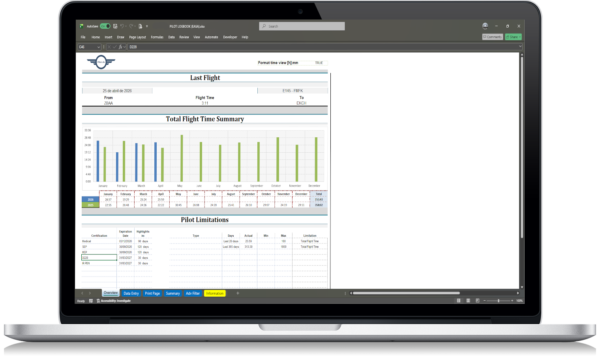
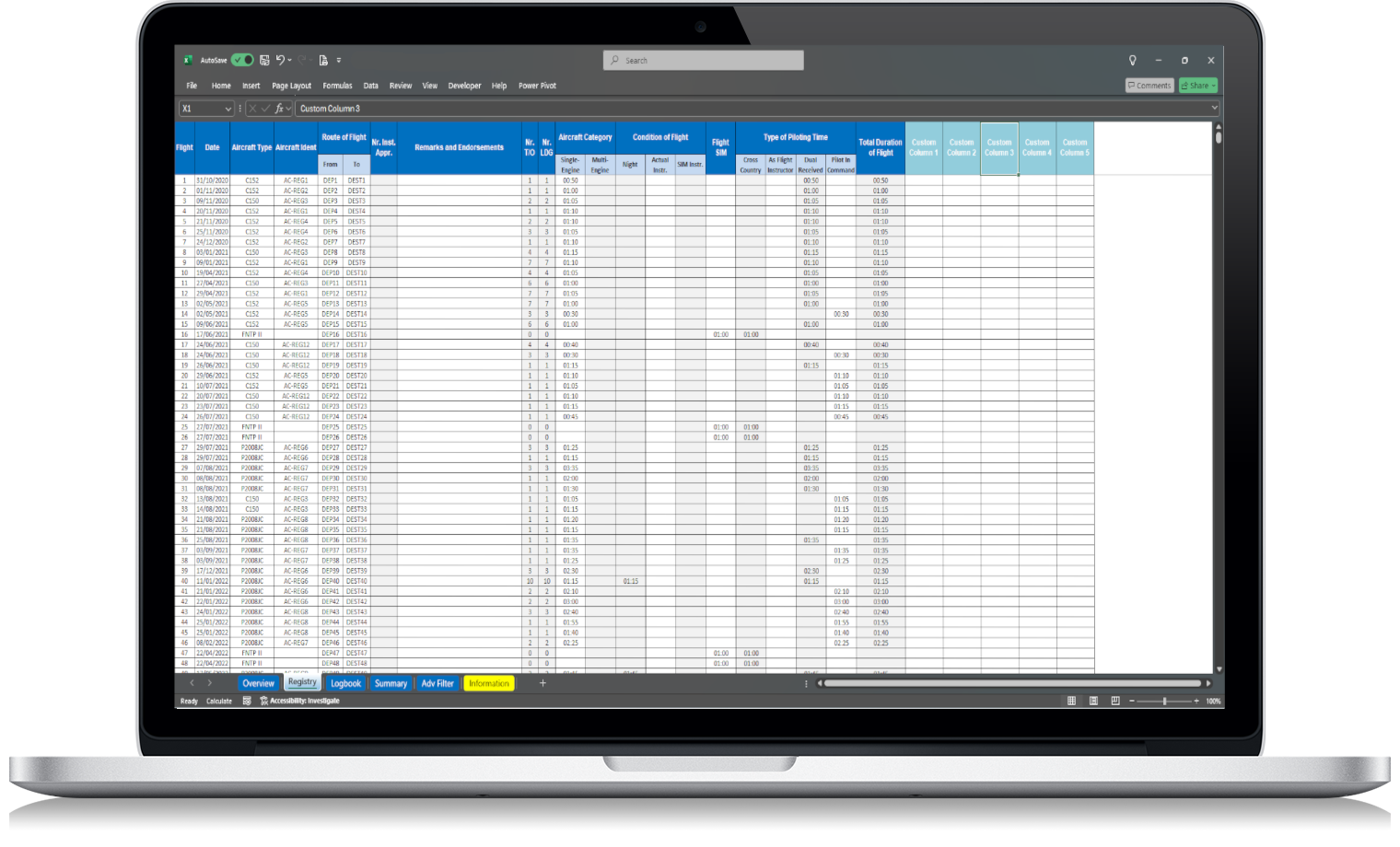
An Excel pilot logbook is a spreadsheet built to record and organise flight records using Microsoft Excel.
Instead of entering your flights into a closed platform, you keep your data inside your own file. You can save it locally, back it up to cloud storage, copy it, export it or adapt it to your own workflow.
A good Excel pilot logbook can help you record information such as:
- flight date;
- aircraft type;
- aircraft registration;
- departure and arrival aerodromes;
- total flight time;
- PIC time;
- co-pilot time;
- night time;
- IFR time;
- remarks;
- totals by category;
- totals by aircraft type.
The main idea is simple: your logbook stays in a file you control.
What are subscription-based pilot logbook apps?
Subscription logbook apps are digital platforms where pilots record and manage their flight data through an app or online account.
They often include useful features such as mobile entry, cloud sync, reports, currency tracking and export options. For some pilots, especially those who like app-based workflows, this can be convenient.
The trade-off is that your flight records are usually tied to the platform. Continued access to some features may depend on an active subscription, an account, or the company continuing to support the service.
That is not automatically bad. It is simply a different model.
The question is: do you want your logbook to live inside a service, or do you want it in your own file?
Cost comparison
Cost is one of the biggest differences.
An Excel pilot logbook is usually a one-time purchase. You pay once and keep the file. There are no monthly or yearly fees just to continue using it.
Subscription apps work differently. The first month may look affordable, but the cost adds up over time.
For example:
| Option | Payment model | Long-term cost |
|---|---|---|
| Excel pilot logbook | One-time purchase | Lower recurring cost |
| Subscription logbook app | Monthly or yearly fee | Higher over several years |
A subscription can make sense if you use advanced features every week. But if your main need is to record flights, calculate totals and keep your records organised, an Excel file may be enough.
For many pilots, the question is not “which option has more features?”
The better question is: which features do I actually need?
Data control and ownership
This is where Excel has a clear advantage.
With an Excel pilot logbook, your records are stored in your own file. You decide where to keep it, how to back it up and who can access it.
With a subscription app, your records may be stored inside a third-party platform. You may still be able to export them, but the day-to-day access depends on the service.
That can create concerns such as:
- What happens if the subscription ends?
- What happens if the platform changes its pricing?
- What happens if export options are limited?
- What happens if the app stops being supported?
- What happens if you want to move your data somewhere else?
These problems may never happen. But they are worth considering, because your logbook is not just a casual document. It is your flying history.
Offline access
Offline access is another important point.
An Excel pilot logbook can be used offline after download, as long as you have compatible spreadsheet software installed. This can be useful when travelling, flying from smaller airfields, or working somewhere with poor internet access.
Some logbook apps also offer offline features, but not all of them work the same way. Some need an account, sync, login or periodic connection to keep everything updated.
If offline access matters to you, check this carefully before choosing any solution.
A logbook should be available when you need it, not only when a service or internet connection is working.
Flexibility and customisation
Excel is flexible by nature.
You can adjust columns, add notes, filter records, create backups and adapt the file to your way of working. This is useful if you like having direct control over your logbook structure.
Subscription apps are usually more polished, but also more fixed. You use the workflow that the app provides. That may be convenient, but it can also feel restrictive if you want to organise your data differently.
A simple example:
If you want to check how many hours you flew on a specific aircraft type, an Excel file can be filtered directly. If you want to add a personal note column, you can usually do that. If you want to keep an extra copy before making changes, you can duplicate the file.
That kind of control is one reason many pilots still prefer spreadsheet-based systems.
Features: more is not always better
Subscription apps often advertise many features. Some are useful. Some are not needed by every pilot.
Before choosing a logbook system, it helps to separate essential features from nice-to-have features.
Essential features usually include:
- recording flights clearly;
- calculating total flight time;
- tracking PIC/co-pilot time;
- tracking night and IFR time;
- filtering by aircraft type;
- reviewing recent experience;
- preparing totals for CVs and applications;
- keeping reliable backups.
Nice-to-have features may include:
- mobile notifications;
- advanced dashboard views;
- automatic sync;
- integrations with other platforms;
- map views;
- cloud reports.
There is nothing wrong with advanced features. But if you rarely use them, paying every month for them may not make sense.
A good logbook should solve your real problem, not create a new dependency.
Excel pilot logbook: main advantages
An Excel pilot logbook is a good option if you want:
- no recurring subscription;
- direct access to your file;
- more control over your flight data;
- easy backups;
- offline use;
- a simple and familiar format;
- lower long-term cost;
- flexibility to adapt your records.
It is especially useful for pilots who already understand Excel and want a practical way to keep their records organised without relying on a platform.
For pilots who prefer a simple file they can keep, edit and back up themselves, an Excel pilot logbook without subscription can be a practical alternative to paid logbook apps.
Use this internal link here:
Excel pilot logbook without subscription
Subscription logbook apps: main advantages
A subscription app can also be the right choice for some pilots.
It may be better if you want:
- a dedicated mobile app;
- automatic cloud sync;
- built-in reports;
- advanced design;
- regular platform updates;
- integrated features;
- less manual file management.
If you fly often, use multiple devices and want a fully app-based workflow, a subscription logbook may be convenient.
The key is to understand what you are paying for and whether you actually use those features.
Which option is better for EASA pilots?
For EASA pilots, the most important point is not whether the logbook is in Excel or inside an app.
The important point is whether your records are complete, consistent and easy to review when needed.
Your logbook should help you keep a clear record of your flight experience, including flight details, aircraft information, flight time, pilot role and remarks where required.
If you want maximum convenience and app-based features, a subscription platform may suit you.
If you want control, lower long-term cost and direct access to your records, an Excel pilot logbook may be a better fit.
Final comparison
| Feature | Excel pilot logbook | Subscription logbook app |
|---|---|---|
| Payment | One-time purchase | Monthly or yearly fees |
| Data control | Stored in your own file | Stored in a third-party platform |
| Offline access | Yes, with compatible software | Depends on the app |
| Customisation | Flexible | Usually limited |
| Long-term cost | Lower | Higher over time |
| Cloud dependency | Optional | Often required |
| Ease of backup | Direct file backup | Depends on export options |
| Advanced app features | Limited | Usually stronger |
| Simplicity | High | Depends on the platform |
Final thoughts
There is no single best logbook system for every pilot.
Some pilots want a polished app with many features and automatic sync. Others prefer a file they can keep under their own control.
If your priority is simplicity, ownership and avoiding recurring fees, an Excel pilot logbook is a strong option. It gives you a structured way to manage your flight records without tying your logbook to a subscription.
Your flight history is valuable. The most important thing is to keep it organised, backed up and accessible when you need it.