A pilot logbook is only useful if the information inside it is clear, complete and easy to review later.
At the time of each flight, filling in a logbook may feel like a small task. But months or years later, those entries become important. You may need them for a licence application, a rating, a renewal, a pilot CV, an airline application or a check with your flight school or authority.
That is why the structure of your logbook matters.
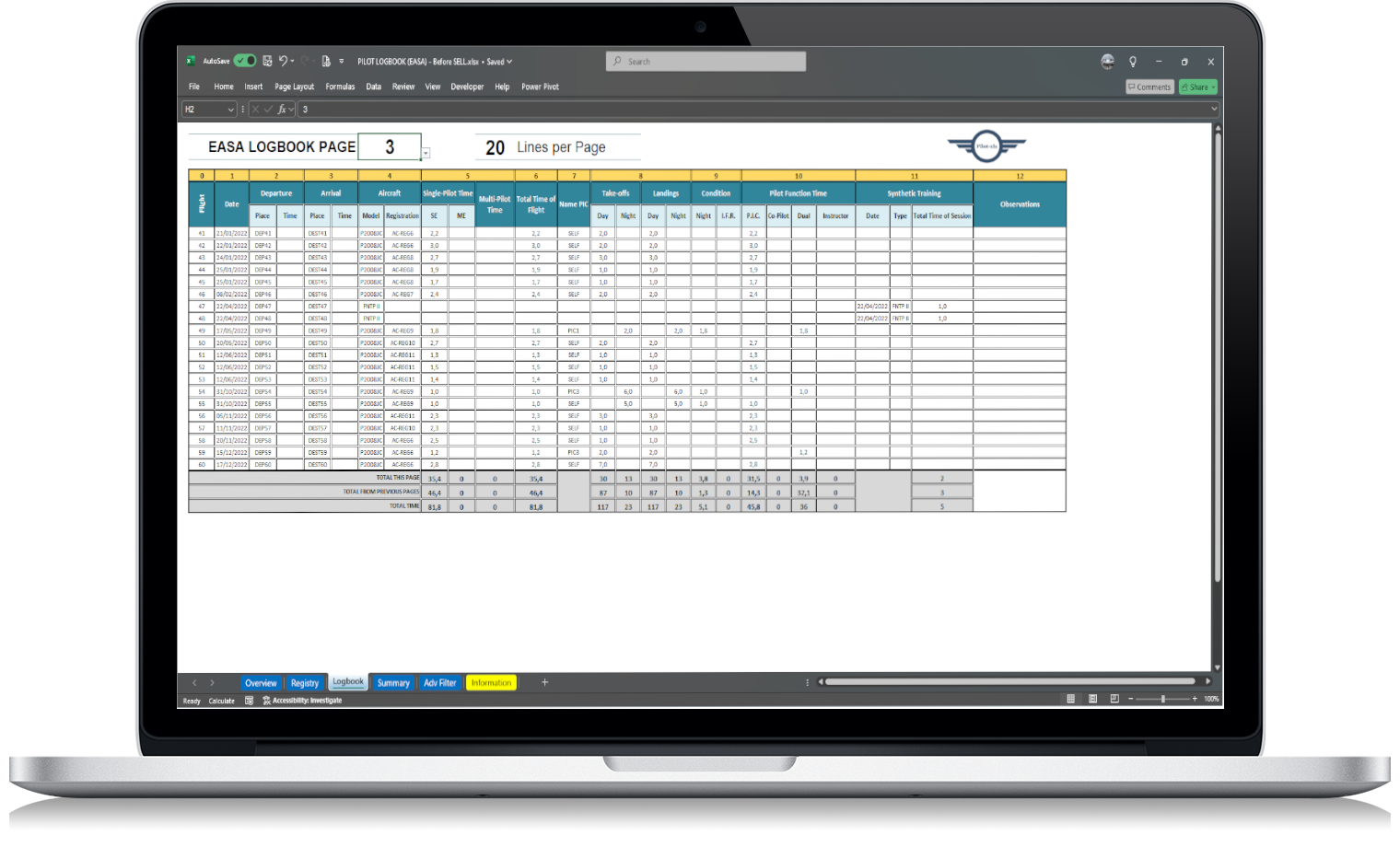
An EASA pilot logbook template should not just be a blank table. It should help you record the right details consistently, calculate useful totals and keep your flight history organised.
Below are the main fields an EASA-style pilot logbook should include.
Why logbook structure matters
A badly organised logbook creates problems later.
If aircraft types are written in different formats, totals become harder to check. If PIC time and co-pilot time are not separated clearly, applications take longer to complete. If night or IFR time is missing, you may need to go back through old records to rebuild the totals.
A clear template helps you avoid that.
It gives each flight entry the same structure, so your records stay consistent from the first flight to the last.
For EASA pilots, this is especially important because flight time records are used to show experience and support licence, rating and professional requirements.
Basic flight details
Every logbook entry should start with the basic details of the flight.
These fields normally include:
- flight date;
- departure aerodrome;
- arrival aerodrome;
- departure time, if used;
- arrival time, if used;
- route or sector;
- remarks or notes.
The date is one of the most important fields because it allows you to sort flights chronologically and calculate recent experience.
Departure and arrival fields are also useful when reviewing routes, sectors, training flights or operational experience.
For example, if you later need to check how many times you operated from a specific airport, clean departure and arrival fields make that much easier.
Aircraft information
Aircraft details should be recorded consistently.
Useful fields include:
- aircraft type;
- aircraft registration;
- aircraft class or category, if relevant;
- single-engine or multi-engine, if relevant;
- simulator or aircraft indicator, if relevant.
Aircraft type is important because pilots are often asked how many hours they have on a specific type or class.
Aircraft registration is useful for identifying the exact aircraft used on a flight. This can matter for training records, personal checks, audits or simply keeping your history complete.
Try to avoid writing the same aircraft type in different ways. For example, choose one format and keep it consistent across your logbook.
Pilot role
Your role during the flight should be recorded clearly.
Common role-related fields may include:
- PIC;
- co-pilot;
- dual;
- instructor;
- student pilot-in-command, if applicable;
- pilot-in-command under supervision, if applicable;
- examiner, if applicable.
This is one of the areas where a clear template makes a big difference.
If your role is not recorded properly, your totals may become confusing later. For example, total time and PIC time are not the same thing. Dual time and co-pilot time may also need to be separated depending on your licence, training or professional situation.
A good logbook template should make these categories easy to record and easy to total.
Flight time fields
Flight time is the core of any pilot logbook.
Your template should include fields for:
- total flight time;
- single-engine time, if relevant;
- multi-engine time, if relevant;
- day time, if used;
- night time;
- IFR time;
- VFR time, if used;
- simulator time, if relevant.
Not every pilot needs every category every day. But the template should support the categories you are likely to need later.
For example, night time and IFR time may become important for ratings, renewals, professional applications or operator requirements.
If these fields are not separated early, it can be difficult to reconstruct the numbers later.
PIC, co-pilot, night and IFR time
Some of the most important totals pilots need are not just total hours. They are category totals.
Common examples include:
- total flight time;
- PIC time;
- co-pilot time;
- dual time;
- instructor time;
- night time;
- IFR time;
- multi-engine time;
- time on a specific aircraft type.
These totals are often needed when completing forms, updating a CV or checking whether you meet a requirement.
For that reason, an EASA pilot logbook template should make it easy to filter and calculate these values.
This is one of the main reasons pilots move away from a paper-only logbook. A paper logbook can hold the information, but calculating totals manually can be slow.
A spreadsheet can make the same information much easier to review.
Landings and take-offs
Depending on your needs, your logbook may also include fields for take-offs and landings.
Useful fields may include:
- day take-offs;
- day landings;
- night take-offs;
- night landings;
- total landings;
- recent landing experience.
These fields can help you review recency and experience, especially if you fly different aircraft or operate irregularly.
They are not always the first fields pilots think about, but they can become useful later.
Remarks and endorsements
A remarks field is simple, but valuable.
It can be used for:
- training details;
- lesson references;
- instructor notes;
- check flights;
- skill tests;
- route notes;
- operational comments;
- special conditions;
- reminders.
Do not overload the remarks field with unnecessary information. But do use it when a note may help you understand the flight later.
For training flights, remarks can be especially useful because they add context beyond the flight time itself.
Totals and summaries
A good logbook template should not only record flights. It should also help you review them.
Useful summaries include:
- total flight hours;
- total PIC time;
- total co-pilot time;
- total night time;
- total IFR time;
- total time by aircraft type;
- total time by registration;
- total time by year;
- recent experience;
- totals for CVs or applications.
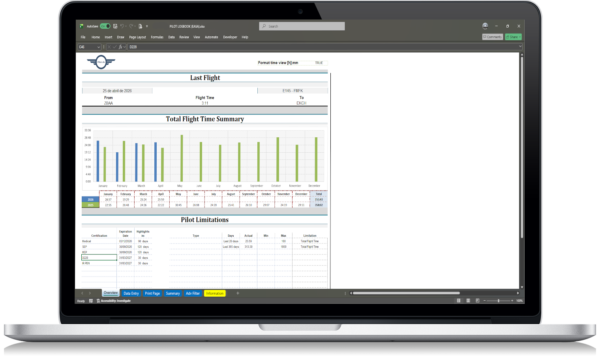
This is where Excel becomes useful.
Instead of manually adding rows or checking pages, a spreadsheet can calculate totals and make the data easier to filter.
For example, if you need to answer “How many hours do I have on this aircraft type?”, a structured Excel logbook can give you that answer much faster than a paper logbook.
Consistency is more important than complexity
A pilot logbook does not need to be complicated.
In fact, too much complexity can make it harder to maintain. If the template has too many fields, pilots may stop updating it regularly.
The best structure is usually the one that records what matters, avoids clutter and stays easy to use.
A good template should be:
- clear;
- consistent;
- easy to update;
- easy to review;
- easy to back up;
- detailed enough for future use.
The goal is not to create the most complex system possible. The goal is to keep your flight records reliable.
Using an Excel template for EASA flight records
An Excel-based logbook can be a practical option for pilots who want more control over their records.
It allows you to keep your flight history in your own file, avoid recurring subscription fees and review totals without depending on a closed platform.
A well-structured EASA pilot logbook spreadsheet can help you keep flight details, aircraft information, pilot role, flight time and summaries in one organised place.
Use this internal link here:
EASA pilot logbook spreadsheet
Final checklist: fields to include
Before choosing or creating an EASA pilot logbook template, check that it supports the fields you actually need.
At minimum, your logbook should include:
- date;
- departure;
- arrival;
- aircraft type;
- aircraft registration;
- pilot role;
- total flight time;
- PIC time;
- co-pilot or dual time, where relevant;
- night time;
- IFR time;
- remarks;
- summary totals.
Depending on your flying, you may also want:
- simulator time;
- instructor time;
- multi-engine time;
- take-offs and landings;
- aircraft type summaries;
- recent experience tracking;
- CV or job application totals.
A good logbook template should make your records easier to maintain, not harder.
If you keep the structure clean from the beginning, your future self will thank you when you need accurate flight time totals quickly.