
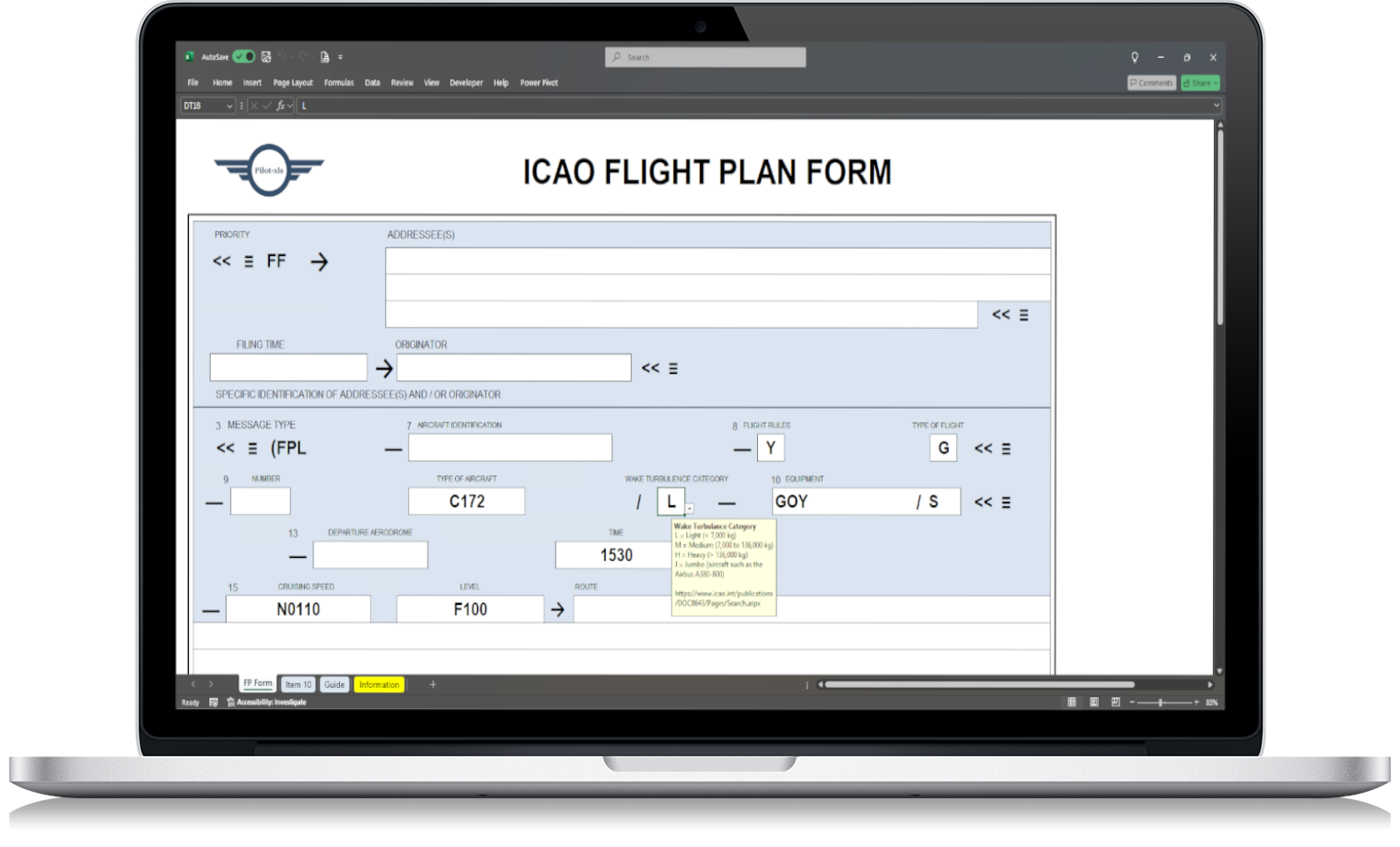
Learning how to fill ICAO flight plan forms is frustrating because one small formatting mistake can force a full rewrite—usually when you’re already short on time. This guide shows a practical workflow to reduce errors, reuse recurring data, and prepare your plan faster.
Why ICAO flight plans cause avoidable mistakes
The ICAO format is standardised and widely used, but it’s also unforgiving. Most errors come from:
- unclear field expectations (especially for newer pilots)
- inconsistent formatting between flights
- retyping the same aircraft/equipment details every time
- last-minute changes that break the structure
If you want fewer corrections, you need a repeatable method—not more stress.
How to fill ICAO flight plan step by step
Use this sequence every time (it reduces omissions and formatting drift):
1) Start with what never changes
Prepare your fixed details first:
- aircraft registration / type
- equipment and capabilities
- operator details (if applicable)
- endurance basics (check against your typical profile)
This is where most pilots waste time retyping.
2) Then build the route logic
Work from:
- departure aerodrome
- EOBT
- route string
- destination and alternate(s)
Keep the structure consistent. If the route changes, you only adjust the route-related lines instead of rebuilding everything.
3) Finish with people forget: the “silent” fields
These are common sources of rejection or corrections:
- speed/level formatting
- endurance vs EET consistency
- remarks that don’t match the operational reality
A quick final pass here prevents the classic “everything looks fine… until it doesn’t”.
Common ICAO flight plan mistakes (and how to avoid them)
These are the patterns that show up repeatedly:
- Formatting drift: You filled it correctly last time, but the spacing or structure changed this time.
- Copy-paste errors: One old value survives into a new plan (EOBT, endurance, alternates).
- Field confusion: You “kind of” remember what goes where—until you don’t.
- No reusable baseline: You rebuild from scratch each flight, increasing error chance.
If you’ve ever thought “I’ll just do it quickly”, you already know why this matters.
A simpler way to prepare an ICAO flight plan
If your goal is fewer mistakes, the key is reuse and visibility. A pilot-friendly template should:
- keep ICAO structure clear
- let you reuse recurring aircraft/equipment data
- make last-minute edits safer
- work offline
That’s why many pilots use Excel: not because it’s fancy, but because it’s controlled and repeatable.
ICAO flight plan example you can reuse (Excel template)
If you want a reusable workflow, this is the practical option: an ICAO flight plan form in Excel designed for fast preparation and fewer errors.
It helps you:
- prepare consistent ICAO entries
- reduce retyping and formatting issues
- adjust quickly when details change
If you want to see the template: ICAO Flight Plan Form Excel (link it to your product page).
Recommended references (external)
To cross-check standards and improve confidence, keep these references handy:
- ICAO Flight Plan (FPL) basics and structure (link to an ICAO reference page)
- EUROCONTROL flight plan guidance (link to EUROCONTROL guidance)
Final check: If you’re still unsure, read this article again with your last plan open and compare line-by-line. The goal is not perfection—it’s repeatability.
Summary line with keyphrase: If you want how to fill ICAO flight plan entries with fewer mistakes, use a consistent sequence, reuse fixed data, and rely on a template that reduces formatting drift.